News ·
How to play Thumb Slugger
Flick to swing and flick to run, and pass the other team's target before the third inning ends.
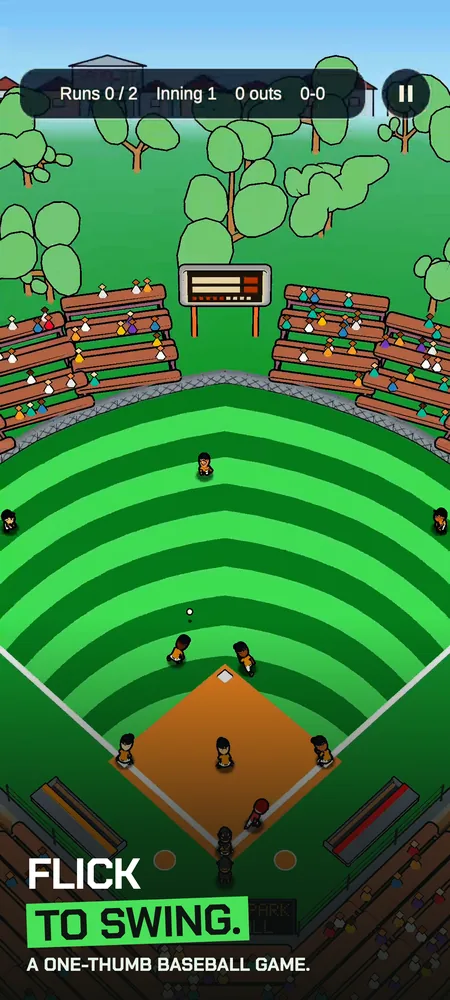
Thumb Slugger is a baseball game you play with one thumb. You bat, and the computer pitches.
The goal
A game is three innings. The other team has a target score, and you win by passing it. If you tie it, you play a bonus inning, and your first run wins.
Controls
To swing, flick up from the bottom of the screen as the pitch reaches the plate. The angle of your flick sets where the ball goes, and a harder flick sends it farther. To take a pitch, don't flick.
Once the ball is in play, flick toward a base to send a runner. Flick again to go faster. Tap a runner to send them back.
Tips
- Timing sets how well you hit the ball. The game calls it as you swing, so you see right away whether you were Good or Early.
- The first time you play, a short practice game walks you through the swing.
- Sandlot, the first league, throws fastballs only. Rising Stars adds a changeup and a curve, and Big Show adds a slider.
- Pass the target early and you keep batting through the third inning.
Where to get it
Thumb Slugger is on Google Play for Android phones. The iPhone version is coming soon. The Thumb Slugger page lists the leagues and stadiums, and the support page has my email if you get stuck.